Level Up Your Party: The Retro Arcade Game Kids Birthday Invite
There is a specific kind of nostalgia that hits hard when you see a pixelated spaceship or a glowing joystick. It transports you back to dimly lit arcades, the smell of pizza, and the sound of quarters clinking. If you are planning a birthday party for a child (or let’s be honest, for yourself), capturing that vibe is half the battle. You want an invitation that doesn't just share details but creates immediate excitement. That is exactly why the Retro Arcade Game Kids Birthday Invite is such a powerful design asset. It isn't just a piece of paper; it is a ticket to an experience.
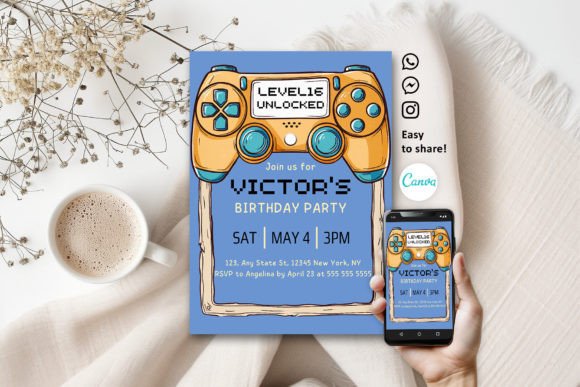
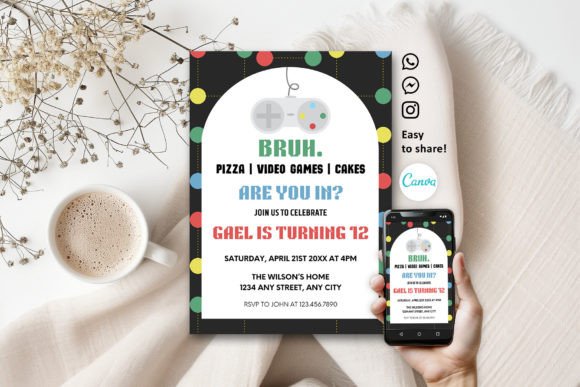
This design template leans heavily into the aesthetic of the golden age of gaming. Think bold, blocky typography that mimics 8-bit displays, high-contrast color palettes featuring electric blues, neon pinks, and stark blacks, and visual elements that look like they were pulled straight from a classic console. The personality of this invite is fun, energetic, and undeniably cool. It avoids the soft pastels often associated with kids' parties in favor of something with more "pew-pew" attitude. It appeals to the kid who loves technology and the parents who grew up on Pac-Man and Mario.
Why Editable Design Matters More Than Ever
One of the biggest hurdles in party planning is the friction of customization. In the past, you might buy a printable PDF, realize you couldn't change the font size, and end up with a layout that looked cramped or unprofessional. The Retro Arcade Game Kids Birthday Invite solves this by being fully integrated with Canva. This isn't just a static image file; it is a dynamic template that gives you total control.
When you open the file using the provided link, you enter a professional-grade editing environment. The power here lies in the typography. The fonts included are completely editable. If the default "Press Start" style font feels too aggressive for the RSVP line, you can soften it. You can adjust the kerning, change the color of the text to match a specific theme, or resize elements to ensure the hierarchy of information is perfect. This level of control is usually reserved for those with expensive software like Adobe Illustrator, but Canva democratizes that process. You can create a premium font look without the premium learning curve.
Mastering Visual Hierarchy with Pixel-Perfect Typography
In editorial design and invitation creation, visual hierarchy is the difference between a confused guest and an excited one. With a Retro Arcade Game Kids Birthday Invite, the typography does a lot of the heavy lifting. Because the style is inherently bold, it draws the eye immediately. However, you need to manage that energy.
Consider the balance between your display font and your informational text. The main header—the "Player One is Turning 7!"—can be large, pixelated, and loud. But the details regarding the time, date, and location need to be legible. This is where you might choose to pair the retro display type with a cleaner sans serif font. Canva allows you to test these font pairings instantly. You might find that a clean, geometric sans serif complements the blocky nature of the arcade text without competing for attention. This ensures your invite functions as a practical piece of communication, not just a piece of art.
Practical Applications Beyond the Birthday Party
While the primary use case is a birthday invitation, the versatility of this design asset extends much further. As a designer or creative professional, recognizing the potential of a theme like this allows you to repurpose assets effectively.
For small business owners in the entertainment or tech sector, this style works brilliantly for social media graphics. Imagine a flash sale graphic for a tech repair shop or a gaming lounge using these neon-on-black aesthetics. The high contrast ensures visibility on mobile feeds. For packaging design, particularly for indie candy brands or tech accessories, a retro arcade vibe signals fun and modernity. It tells the customer that the brand doesn't take itself too seriously but cares about quality.
Even in brand identity, elements of this style can be used to create a distinctive logo. A creative font with pixelated edges can become the cornerstone of a brand that targets gamers, retro enthusiasts, or a younger demographic that views 8-bit art as "vintage chic." It is about using the visual language of the past to communicate with a modern audience.
Optimizing for Print and Digital Sharing
Once you have perfected your design in Canva, the download process offers flexibility for any situation. If you are handling the printing yourself, the PDF option is your best friend. It preserves the vector quality of the text, ensuring that even if you scale the 5" x 7" design, the edges remain crisp. This is crucial for print design where pixelation is the enemy.
If you are sending the invites digitally via WhatsApp, email, or text, the PNG format is ideal. It supports transparency and offers high resolution suitable for screens. For those sending files to a professional print shop, the option to include crop marks and bleed is a professional necessity. This ensures that when the printer cuts the paper, you don't end up with awkward white slivers on the edge of your neon border. The ability to toggle these settings within the download menu shows that this template is built for real-world production standards.
Tips for a Standout Design
To get the most out of your Retro Arcade Game Kids Birthday Invite, keep a few design principles in mind:
- Contrast is King: Retro arcade games relied on high contrast to be visible on CRT monitors. Stick to dark backgrounds with bright text or bright backgrounds with dark text to maintain that authentic look.
- Keep it Legible: While script fonts or handwritten fonts might look cute, they can clash with the rigid geometry of pixel art. Stick to sans serif or monospaced fonts for the details to keep the vibe cohesive.
- Use White Space: Don't clutter the invite with too many extra images. The typography and the color scheme are the stars of the show. Let the design breathe so the information is easy to digest.
- Test on Mobile: Since Canva is mobile friendly, do a quick check on your phone before finalizing. Most parents will likely view the invite on a small screen, so ensure the text is readable without zooming in.
Ultimately, this design template is more than just a file; it is a tool for creativity. It bridges the gap between professional graphic design capabilities and the needs of a busy parent or entrepreneur. By leveraging the editable features in Canva, you can transform a standard invite into a memorable piece of communication that sets the tone for an unforgettable event. Whether you are printing it at home or sharing it online, the result is a professional, engaging, and undeniably fun invitation that hits all the right buttons.