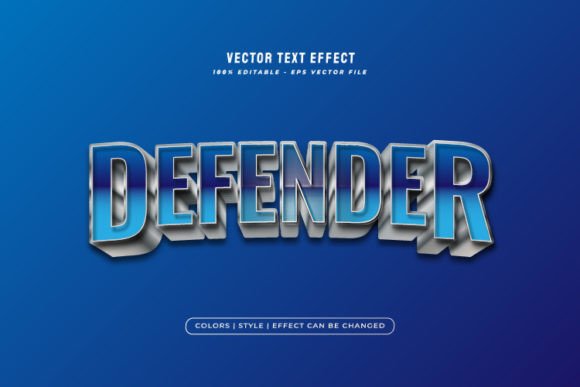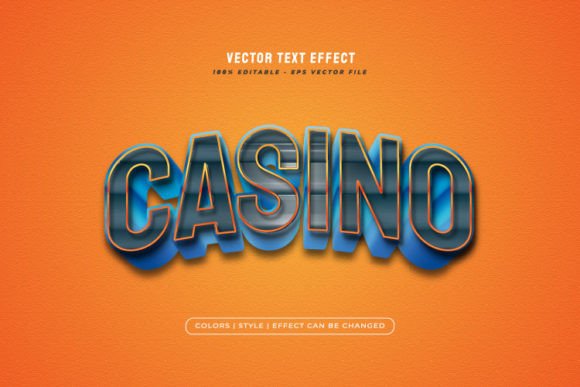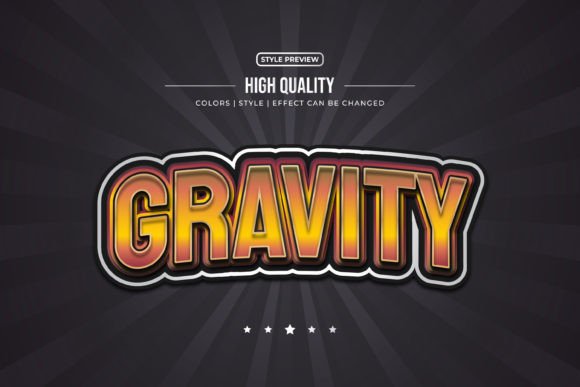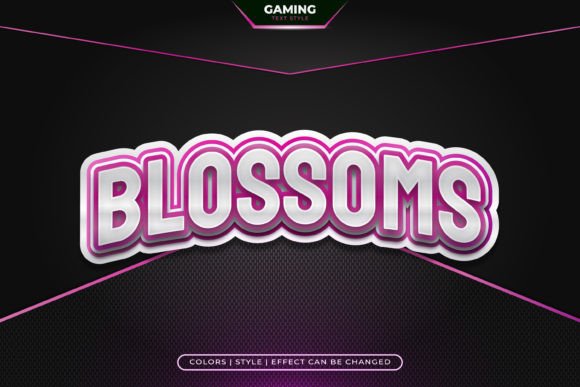
Boom Text: Game Style Text Effect for Adobe Illustrator
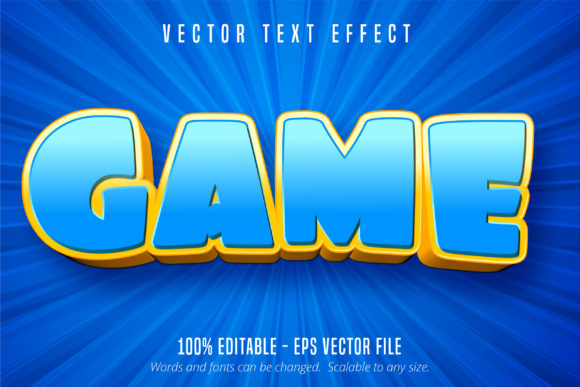
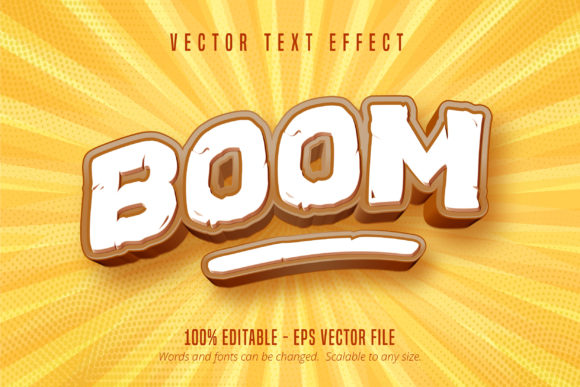
If you’ve ever played a classic arcade game or watched a retro animated series, you know the feeling: that punchy, energetic text that pops onto the screen with attitude. That’s exactly the vibe behind Boom Text, Game Style Text Effect. It’s not a traditional font you install and type with. Instead, it’s a fully editable text effect built specifically for Adobe Illustrator, designed to give your words that explosive, game-inspired look in seconds.
What Makes This Text Effect Stand Out
Boom Text captures the spirit of 8-bit and 16-bit gaming culture without feeling dated. Think bold letterforms with sharp angles, dynamic shading, and that unmistakable comic-book energy. The effect layers depth, outline, and color in a way that makes text feel like it’s jumping off the canvas. Whether you’re going for a nostalgic pixel-art aesthetic or a modern twist on retro gaming visuals, this effect delivers personality that flat, standard typefaces simply can’t match.
What sets it apart from downloading a novelty font is the level of control you get. Since it’s delivered as an Adobe Illustrator EPS CS6 file, every element of the text is fully editable. You can change the wording, adjust colors, scale it to billboard size or shrink it for a favicon, and it stays crisp. There’s no loss of quality, no awkward pixelation, no limitations. That scalability alone makes it a practical addition to any designer’s toolkit.
Where Game Style Text Effect Truly Shines
This isn’t just for game designers, though they’ll obviously love it. Boom Text, Game Style Text Effect works across a surprisingly wide range of projects. Here are some real-world applications where it adds genuine value:
- Logo design for brands targeting younger demographics, gaming communities, or entertainment audiences
- Social media graphics that need to stop the scroll—think YouTube thumbnails, Instagram stories, and Twitch overlays
- Event posters and flyers for gaming tournaments, comic conventions, or themed parties
- Packaging design for snack brands, energy drinks, or toy products that want a playful, high-energy feel
- Merchandise like t-shirts, stickers, and posters sold through print-on-demand platforms
- Editorial design for magazine covers, blog headers, or newsletter banners that need visual punch
- Web design elements such as hero sections, call-to-action buttons, or promotional banners
Entrepreneurs and small business owners will appreciate that it’s a commercial font effect, meaning you can use it in client work and products you sell without licensing headaches. Marketers and content creators can lean on it to create consistent, recognizable visuals across campaigns. Crafters and hobbyists can use it for personal projects like party invitations, scrapbook pages, or custom game room décor.
How It Influences Brand Perception and Engagement
Typography shapes how people feel about your message before they even read the words. A display font effect like Boom Text immediately signals energy, fun, and confidence. That makes it a strong choice for brands that want to feel approachable and dynamic rather than corporate and stiff.
Consider how visual hierarchy works in your designs. When you pair a bold, game-style headline effect with a clean sans serif font for body text, you create contrast that guides the reader’s eye naturally. The headline grabs attention. The body copy delivers information. That balance is the foundation of effective editorial design and web design alike.
Consistency matters too. Because Boom Text is scalable and editable, you can use the same effect across your website, social channels, print materials, and packaging. That repetition builds brand identity and makes your visuals instantly recognizable. People start associating that style with your business, which is exactly how strong visual branding works.
Practical Tips for Getting the Most Out of It
Before committing to any premium font or text effect, test it against your project’s specific needs. Here are some honest recommendations:
- Check your software. This effect is built for Adobe Illustrator. If you primarily work in Photoshop, Canva, or other tools, it won’t open properly. Make sure Illustrator CS6 or later is part of your workflow.
- Evaluate readability. Game-style text effects are inherently decorative. They work beautifully for headlines, logos, and short phrases, but they’re not suited for paragraphs or long-form content. Pair them with a readable serif font or sans serif font for body text.
- Experiment with color. One of the biggest advantages of an editable effect is the ability to customize the palette. Try different color combinations to match your brand or project theme. Neon tones amplify the gaming vibe. Muted pastels give it a softer, modern feel.
- Test font pairings. Boom Text plays well with clean, geometric typefaces. A modern typography pairing—like using it alongside a neutral sans serif—keeps the design grounded while letting the effect do the heavy lifting visually.
- Consider your audience. If your target demographic skews toward gamers, pop culture fans, or younger consumers, this effect will resonate. For more traditional or formal audiences, use it sparingly or in specific contexts where playfulness is appropriate.
- Review licensing terms. Since it’s a commercial design asset, confirm the license covers your intended use, whether that’s client projects, merchandise, or digital products.
A Creative Asset Worth Exploring
Finding the right creative font or text effect often means sifting through hundreds of mediocre options. Boom Text, Game Style Text Effect stands out because it solves a specific design problem well: giving text instant personality without requiring advanced Illustrator skills. The learning curve is minimal. Open the file, edit the text, adjust colors if needed, and you have a polished, professional result.
For designers building out a library of design assets, it fills a niche that standard font collections don’t cover. A script font handles elegance. A handwritten font covers warmth. But when you need that bold, arcade-inspired impact, a dedicated text effect like this one does the job better than any typeface alone.
Whether you’re designing a logo for a new gaming channel, creating promotional graphics for a product launch, or just experimenting with different visual styles, having tools like Boom Text in your toolkit means you’re ready for projects that call for something a little louder, a little bolder, and a lot more fun.